

Viewing, paying and downloading your invoices
The difference between proforma and official invoices, invoice statuses, paying and downloading PDF/XML.
Billing and payments · 2 min read
The documents issued for your orders, renewals and balance top-ups are collected under Finance › Invoices.
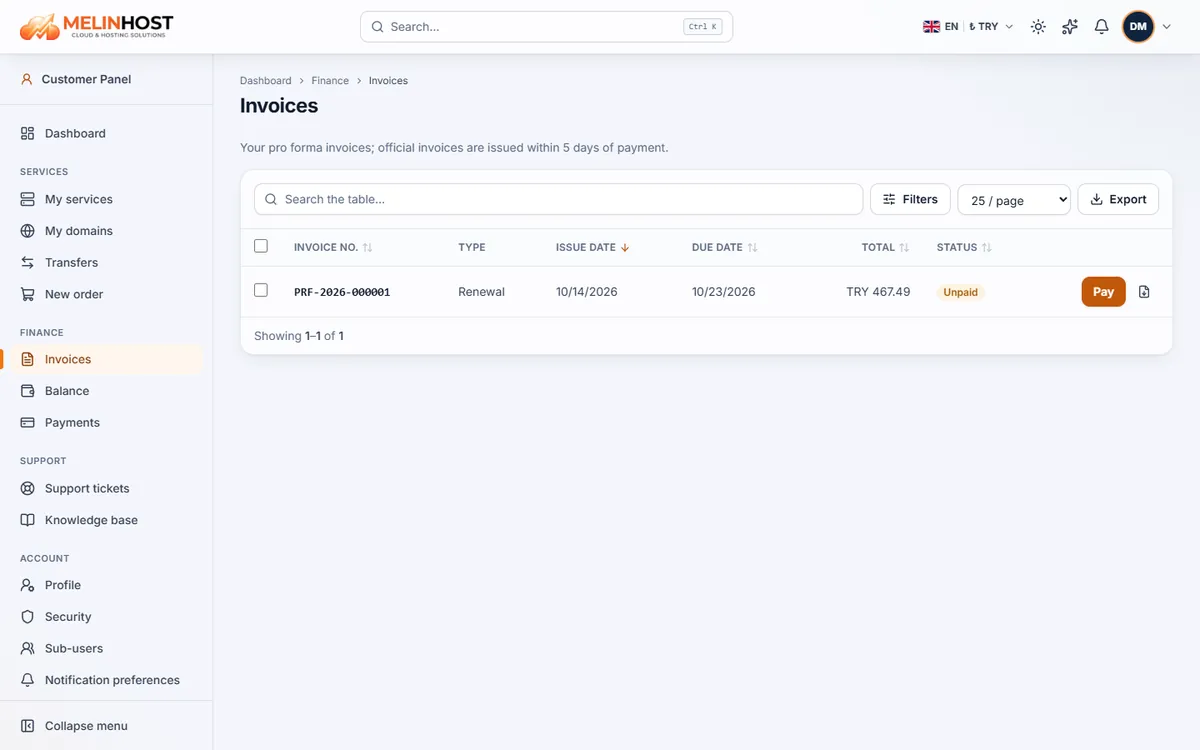
Proforma and official invoices
The document issued before you pay is a proforma invoice; it is not a tax invoice and is used for payment. After your payment is completed — usually within 5 days — an official invoice (e-Invoice / e-Archive) is issued from your billing details. That is why it matters to complete them (see Profile, billing details and sub-users).
Invoice types and statuses
| Type | When it is issued |
|---|---|
| Order | When you order a new service |
| Renewal | When your service’s renewal date approaches |
| Upgrade | When you move to a larger plan (difference invoice) |
| Balance top-up | When you add funds to your account balance |
The status column shows Unpaid, Partially paid, Paid, Cancelled or Refunded.
Paying an invoice
- Click the invoice number in the list.
- In the Payment box on the right choose a method: Pay by card, Pay by bank transfer or, if you have a balance, pay from balance.
- Complete the steps; once the payment is confirmed the invoice becomes Paid. See Payment methods for details.
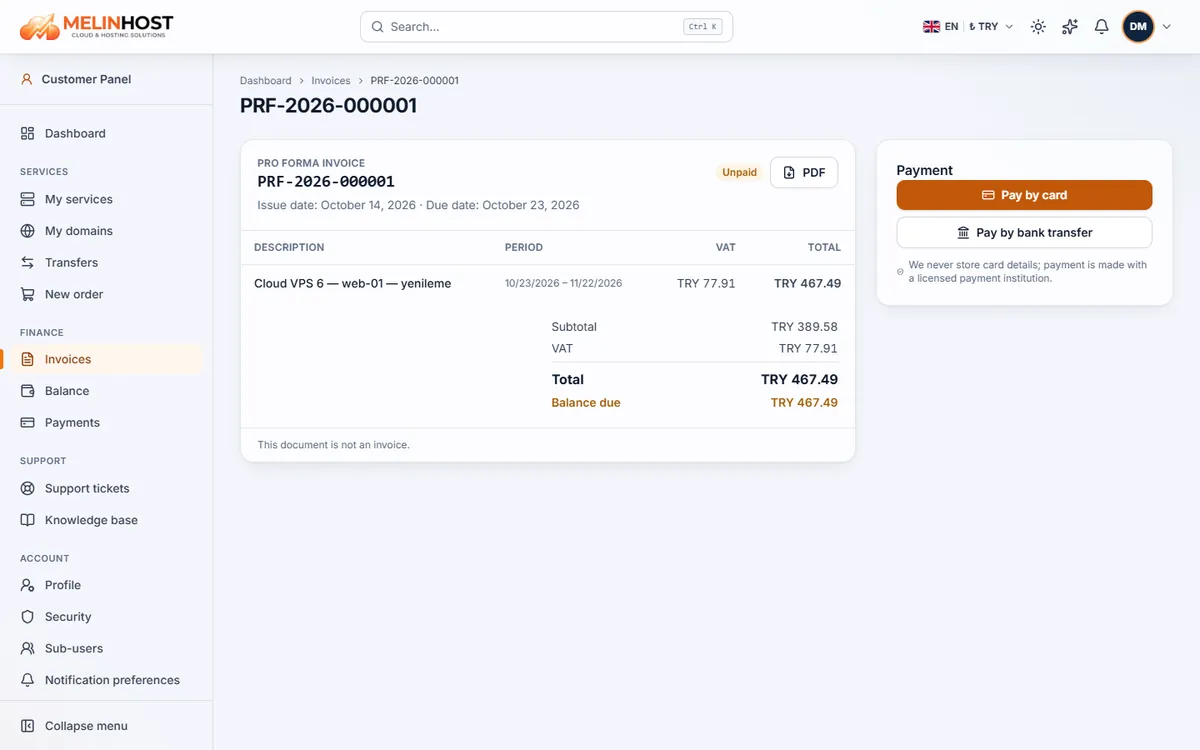
Downloading PDF and XML
Use the PDF button on the invoice page to download the proforma document. Once the official invoice is issued, its PDF and XML files appear on the same page. To get the list as a table use the Export button.
Good to know: if auto-renewal is on, renewal invoices are charged to your balance first; if the balance is not enough, the invoice stays unpaid and you are notified by email.