

Payment methods: card, bank transfer and balance
Secure card payment, notifying us after a bank transfer, and topping up and using your account balance.
Billing and payments · 2 min read
You can pay your invoices in three ways. All of them start from the Payment box on the invoice page.
1. Credit / debit card
- On the invoice page click Pay by card.
- Enter your card details in the secure payment form. Card details are not stored on our site; the payment is handled by a secure payment provider.
- Complete your bank’s 3D Secure verification. Once the payment is approved the invoice becomes Paid instantly and your service is activated.
2. Bank transfer
- On the invoice page click Pay by bank transfer; our bank accounts and IBANs appear (use Copy IBAN to copy one).
- When you make the transfer, write the reference code shown on screen in the description field; your payment is matched with that code.
- After sending, click Notify payment and enter the sender name, transfer date, amount and destination account; attach the receipt if you have one (PDF, JPG or PNG; up to 5 MB), then submit with Send notice.
- Your notice is reviewed (status: Under review). When the amount has arrived in our account the notice is approved and you are notified by email.
Tip: writing the reference code and attaching the receipt speeds up approval. If the amount received differs from the invoice, you can cover the difference with another method.
3. Account balance
Your balance is money you have added in advance and lets you pay invoices in one click. If auto-renewal is on, renewal invoices are charged to your balance first.
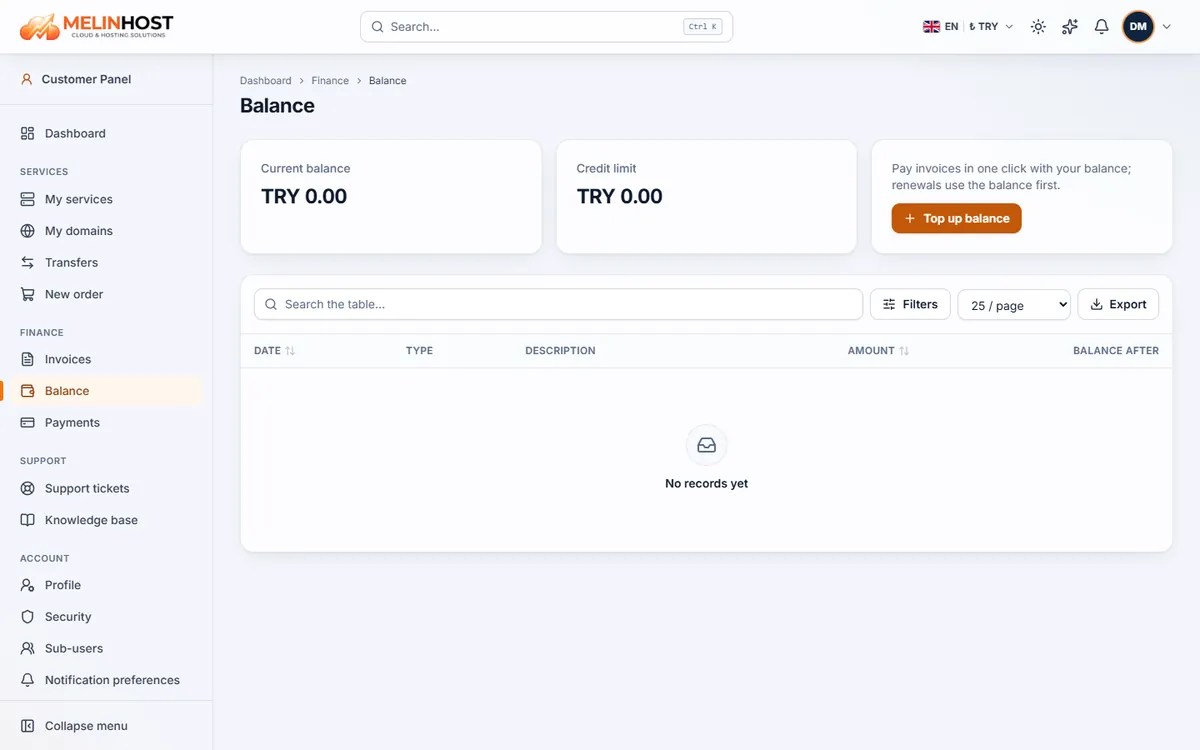
- On Finance › Balance click Top up balance.
- Enter the amount (the minimum and maximum are shown on the form, along with any bonus offer) and use Continue to choose a payment method.
- When the payment completes the amount is added to your balance; follow movements in the Balance history list on the same page.
- To pay an invoice from your balance, use Pay from balance on the invoice page. If the balance is not enough you can pay the rest with another method.
Payments
Finance › Payments lists all your payments with their statuses (Completed, Pending, Failed, Cancelled). If a payment failed, try another method; if the problem continues, open a ticket.