

Viewing and managing your services
The My services page, the tabs on a service, access details and transferring a service to another account.
Managing services · 2 min read
All the hosting, server, domain and licence services you have bought are listed under Services › My services.
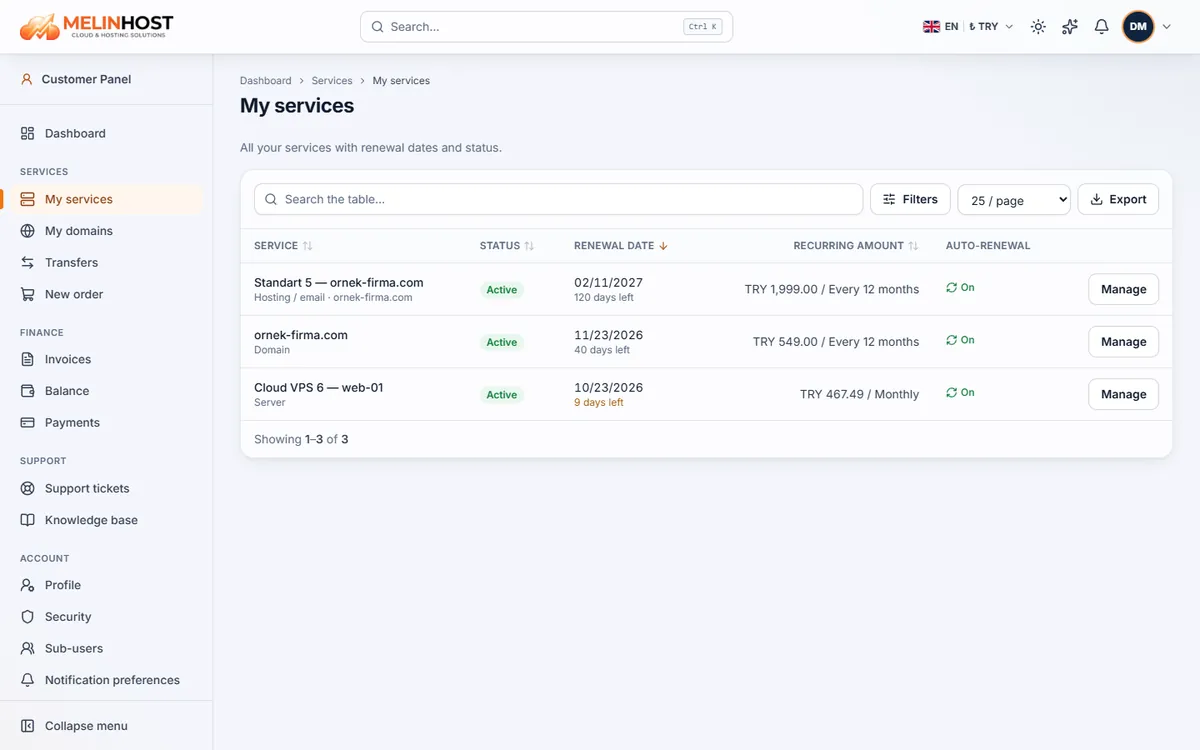
The list
Each row shows the service name, its status (for example Active, Suspended), renewal date, recurring amount and auto-renewal. Use the search box and Filters to find what you need, and Export to get the list as a table. Click a service name to open its page.
The tabs on a service
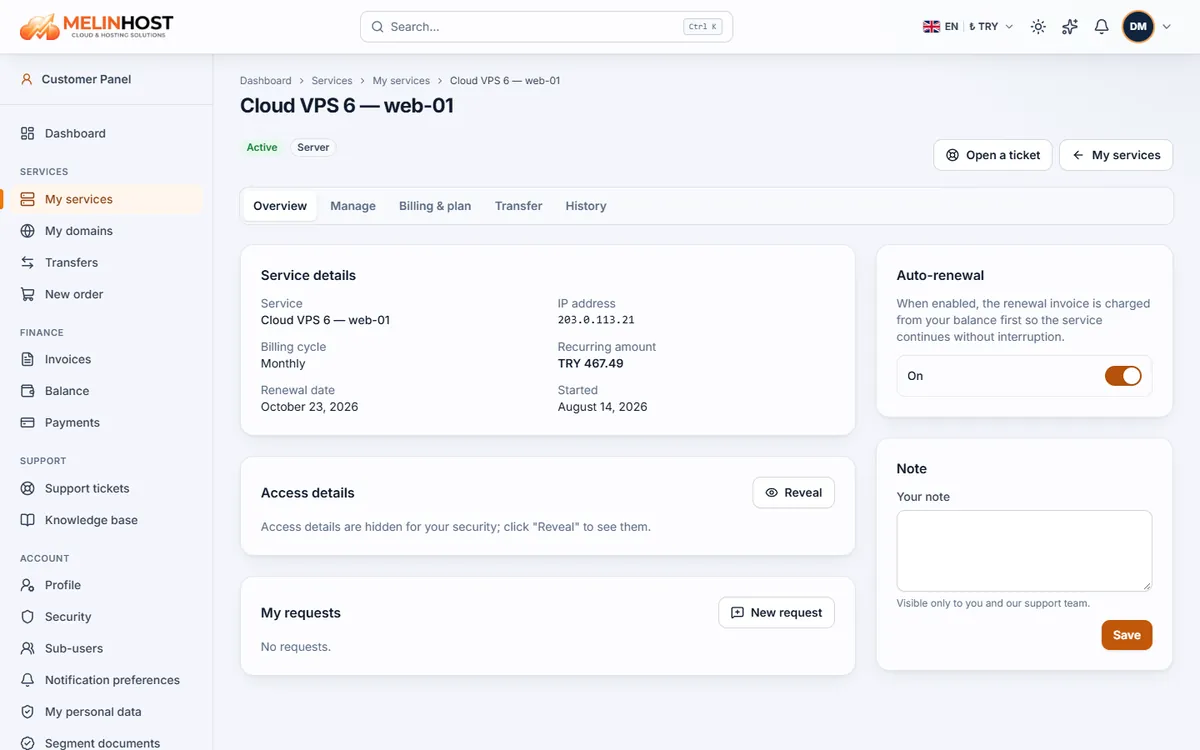
| Tab | What it is for |
|---|---|
| Overview | Service details (IP address, billing cycle, renewal date), access details, the auto-renewal switch and a personal note |
| Manage | Service-specific actions: power actions, snapshots and reinstall on servers; panel login on hosting; nameservers and lock on domains |
| Billing & plan | Changing the billing cycle, upgrading the plan, cancelling the service |
| Transfer | Transferring the service to another customer account |
| History | A record of what happened on the service (renewals, power actions, nameserver changes and more) |
Access details
For servers and hosting, details such as the username and password are hidden for security; click Reveal to show them. Never share them with anyone else.
Requests for things the panel doesn’t do directly
For add-ons such as an extra IP, extra disk or backups, or for actions such as a DNS record change that are not directly in the panel, create a request from the service’s requests box or with the Open a ticket button. It is passed to our team and its status can be followed on the same page.
Transferring a service to another account
On the Transfer tab you can move a service, with its renewal date and settings, to another customer account; the recipient must approve it and the action appears in Transfer history. A service with an unpaid invoice cannot be transferred.