

Renewal, auto-renewal and cancellation
How renewal invoices work, turning auto-renewal on and off, and cancelling a service at period end or immediately.
Managing services · 2 min read
How renewal works
As your service’s renewal date approaches, a renewal invoice is issued and you are notified by email. When you pay it your service continues into the new period without interruption. The renewal date is shown in the My services list and on the service’s Overview tab; upcoming renewals are also listed on the dashboard.
Note: if a renewal invoice is not paid by its due date, the service may be suspended. Services still unpaid at the end of the grace period are closed and their data may be deleted, so keep an eye on notifications.
Auto-renewal
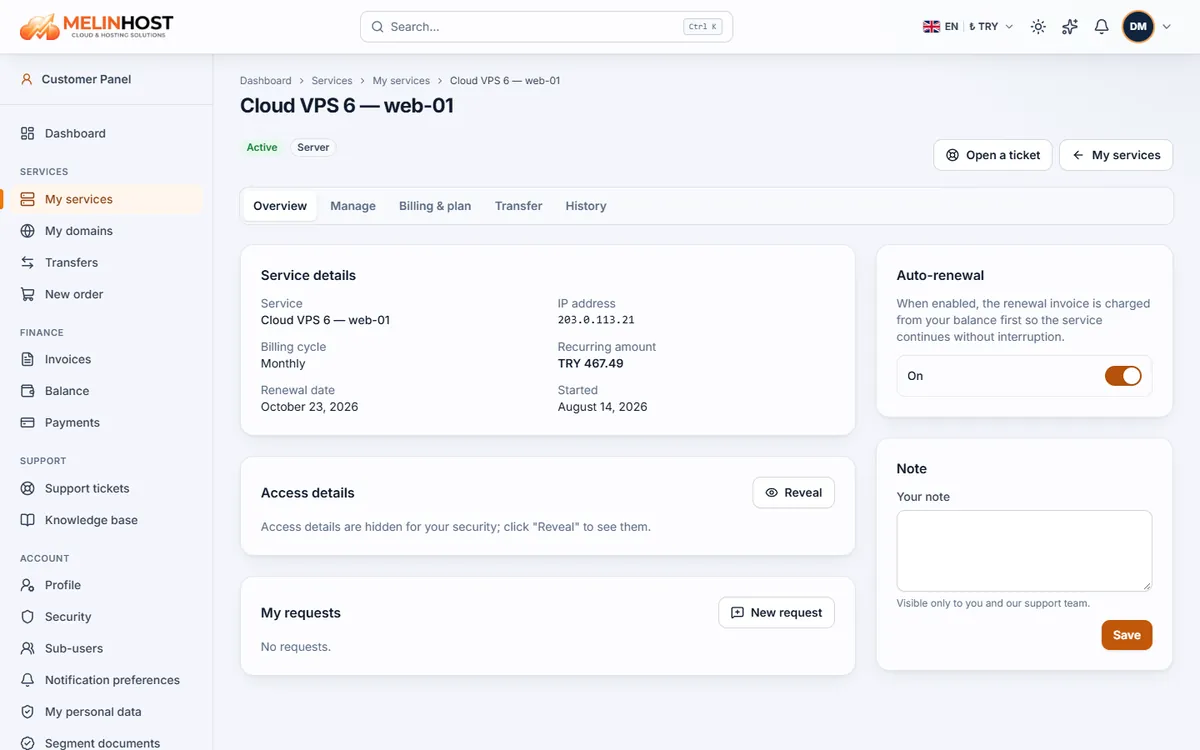
While the Auto-renewal switch on the service’s Overview tab is on, the renewal invoice is charged to your account balance first and your service continues without a break. If the balance is not enough the invoice stays unpaid and you are notified. If you turn it off you pay the invoice yourself. To add funds see Payment methods.
Renewing a domain
For domain services, the Renew now button on the Manage tab creates the renewal invoice immediately.
Cancelling a service
- Open the service and click Request cancellation in the Cancel service box on the Billing & plan tab.
- Choose an answer for When?:
- At the end of the period: the service keeps running until its renewal date and is not renewed.
- Immediately: the service and its data are closed right away.
- Optionally write a reason and click Confirm cancellation.
No refund is given for unused time; an open renewal invoice is cancelled. The cancellation request is shown on the page. If you cancelled at period end and change your mind, use Withdraw cancellation before the renewal date.
Back up first: an immediate cancellation deletes your server and hosting data. Before cancelling, back up the files, databases and email you want to keep (see The hosting control panel).
For domains, if you want to move to another provider rather than cancel, see Transferring a domain.