

Nameservers, transfer lock and WHOIS privacy
Change nameservers from the domain’s management page, and turn the transfer lock and WHOIS privacy on or off.
Domains and DNS · 2 min read
You manage a domain on a page that opens when you click the domain in My domains or My services and go to the Manage tab.
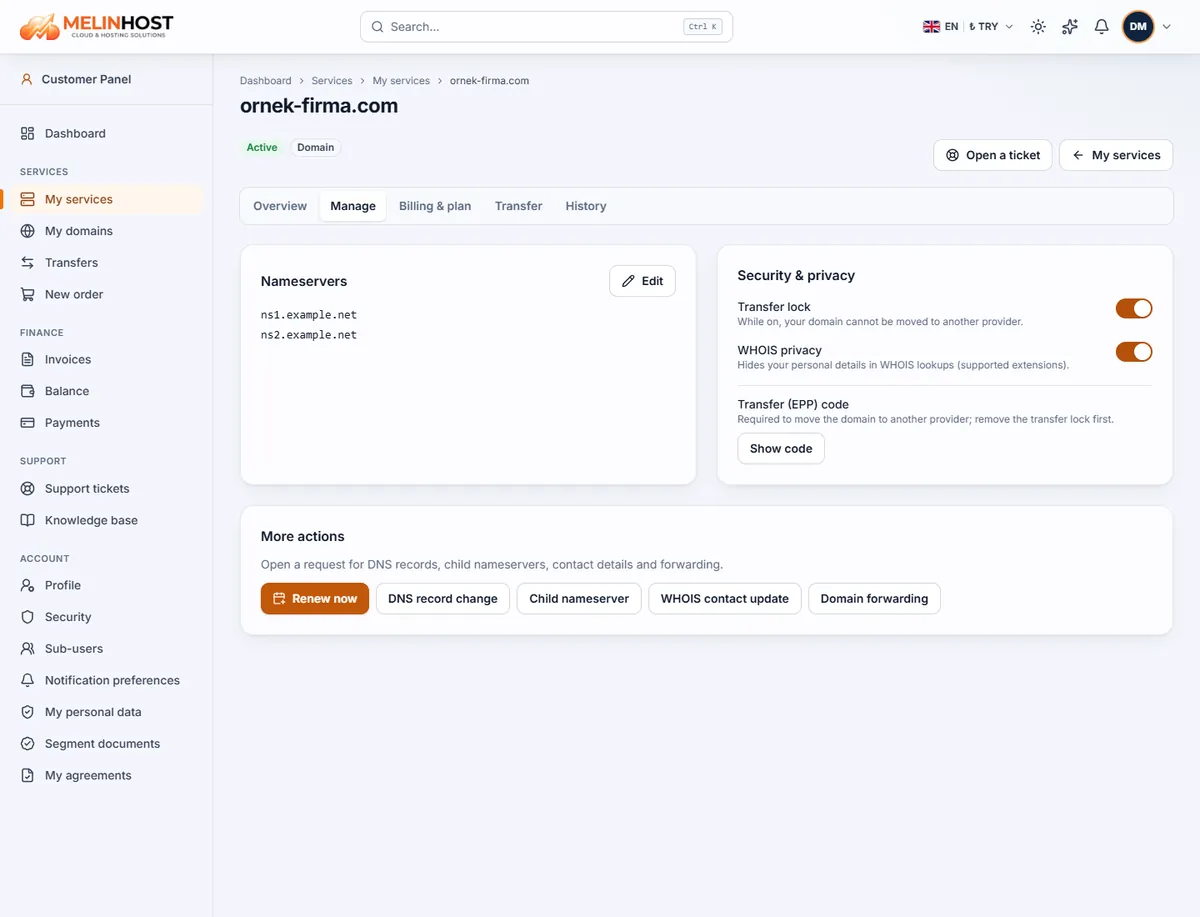
Changing nameservers
Nameservers decide which system manages your domain’s DNS records. You change them to connect the site to a hosting service or to move DNS to another provider (a CDN, for example).
- In the Nameservers box click Edit.
- Enter the new nameservers (usually at least two, for example
ns1.example.netandns2.example.net). The nameservers for our hosting service are in the service details email. - Save. You will see “Nameservers updated”.
The change usually takes effect within a few hours and worldwide within 24–48 hours. During that time some visitors may see the old server and others the new one.
Careful: when you change nameservers, all of the domain’s DNS records (website, email MX records included) follow the records at the new provider. Make sure the records are ready there first, otherwise your site and email can be interrupted.
Transfer lock
While the Transfer lock is on, your domain cannot be moved to another provider; it protects against unauthorised transfers. Turn it off only when you are going to move the domain, and turn it back on afterwards.
WHOIS privacy
With WHOIS privacy on, your personal contact details are hidden in WHOIS lookups (on extensions that support it). We recommend leaving it on to reduce spam and unwanted calls. Both settings change instantly with the switch next to them.
Transfer (EPP) code
The code needed to move the domain to another provider is shown with the Show code button; you must remove the transfer lock first (see Transferring a domain).
Things the panel doesn’t do directly
From the More actions box you can create requests for DNS record change, Child nameserver, WHOIS contact update and Domain forwarding; our team handles them. Renew now creates the renewal invoice immediately.