

Reinstalling the operating system and resetting the root password
Reinstall the server with a clean operating system, or generate a new root password if you have forgotten yours.
Cloud servers (VPS/VDS) · 2 min read
Both actions are in the IP addresses box on the service’s Manage tab. Because they are sensitive, if two-factor authentication is on for your account you will be asked to enter your verification code again.
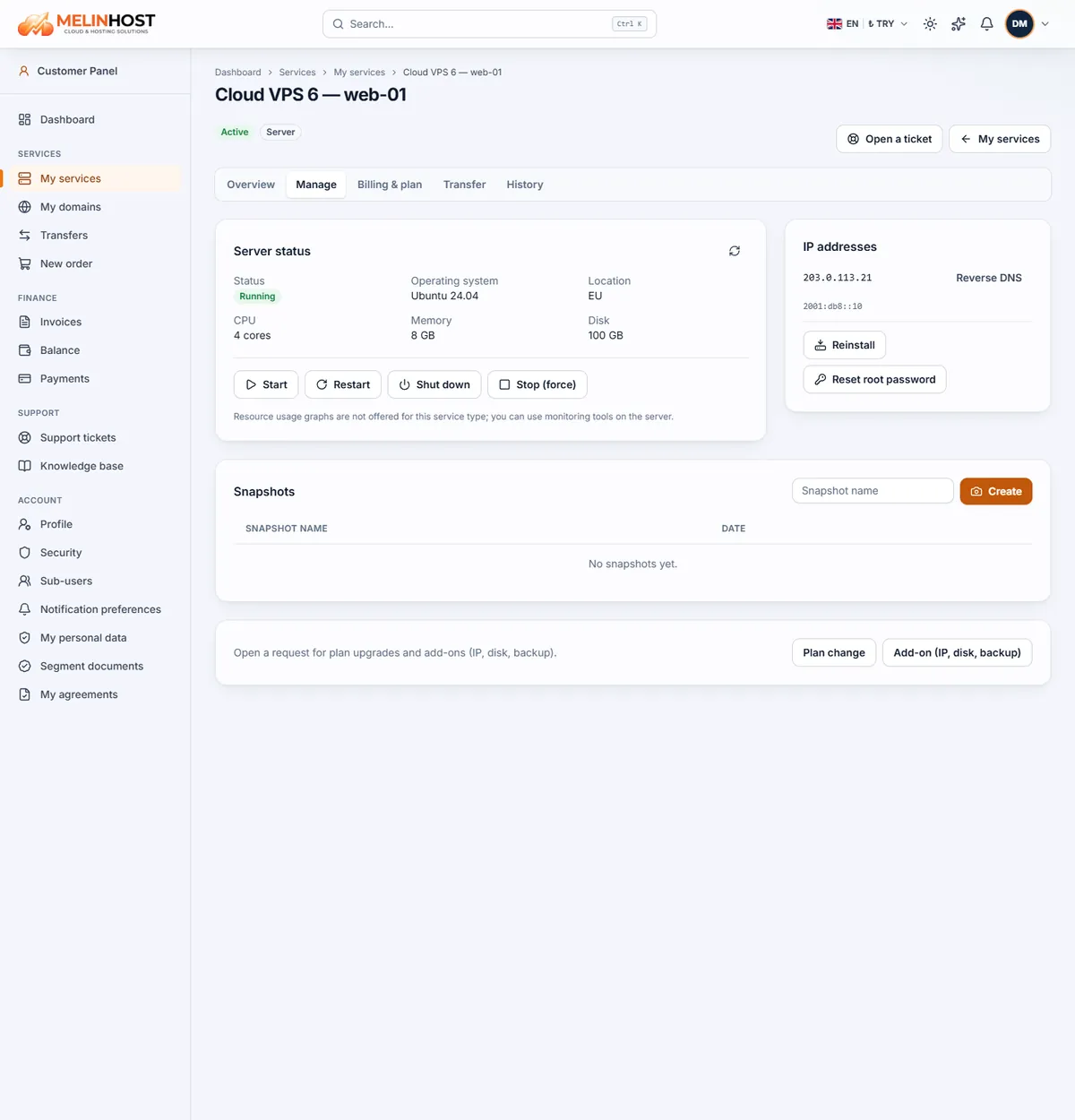
Resetting the root password
If you have forgotten the password or can’t get into the server:
- Click Reset root password.
- The panel generates a new password and shows it in the New password box; use the button next to it to copy it.
- Save it somewhere safe; it is also kept in the service’s Access details.
- Connect over SSH with the new password and set your own with
passwdon first login.
Resetting the password does not erase data on the disk; it only changes the root password.
Reinstalling the operating system
Use a reinstall to start the server again from a clean operating system — for example to undo a bad configuration or to switch distribution.
Careful: a reinstall erases all data on the disk and installs the operating system you choose. Back up the files and databases you need off the server first.
- Click Reinstall.
- Pick the version you want from the Operating system list (for example Ubuntu, Debian, AlmaLinux, Rocky Linux).
- For safety, confirm by typing the service name shown on screen.
- Start with the red Reinstall button. It takes a few minutes; when it finishes you get a new root password and can connect over SSH.
Which one should I use?
| Situation | Solution |
|---|---|
| I forgot the password and the data must stay | Reset root password |
| The software is a mess and I want a clean start | Reinstall |
| My last change caused a problem | Restore a snapshot |